Have you ever been on a flight and heard a flight attendant ask everyone to switch their phones to airplane mode? The first time I heard that announcement, I quickly opened my phone settings and turned it on without really knowing what it did.
Later, I started seeing people use airplane mode for more than just flights. Some used it to save battery, avoid interruptions, or fix connection issues. That made me curious about how it actually works. If you’ve ever wondered why your phone has airplane mode and what happens when you turn it on, this guide will explain everything in simple terms.
Quick Answer:
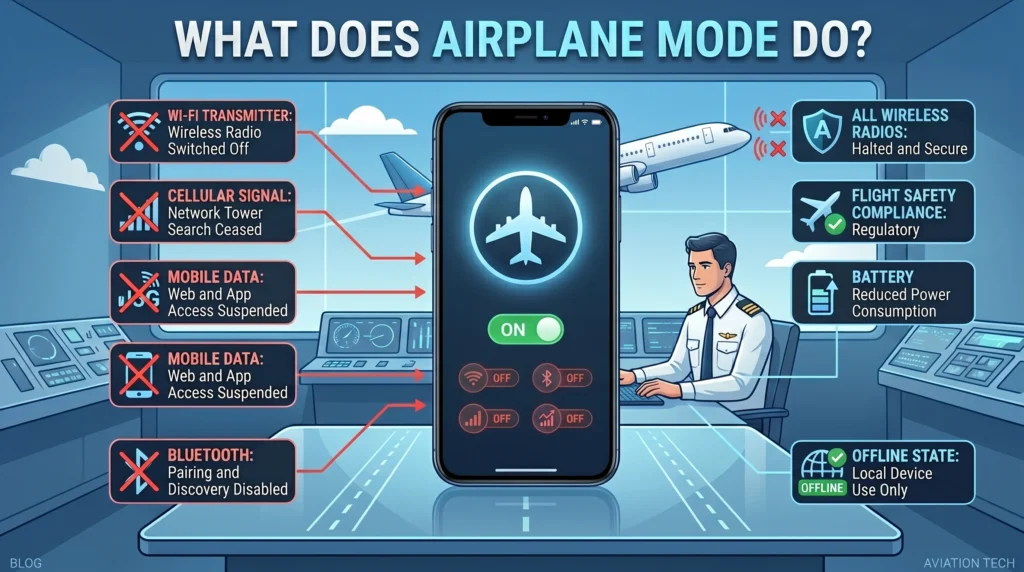
Airplane mode turns off your phone’s wireless connections, including cellular service, Wi-Fi, Bluetooth, and mobile data, although Wi-Fi and Bluetooth can often be turned back on manually afterward.
What Does Airplane Mode Do?
Airplane mode is a setting found on smartphones, tablets, laptops, and other electronic devices.
When you activate airplane mode, your device stops sending and receiving wireless signals. This helps prevent potential interference with aircraft communication systems during flights.
Typically, airplane mode disables:
- Cellular calls
- Text messages
- Mobile data
- Wi-Fi
- Bluetooth
However, most modern devices allow you to manually turn Wi-Fi or Bluetooth back on while keeping airplane mode enabled.
Example
You board a plane and switch on airplane mode. Your phone can no longer make calls or use mobile data, but you may still connect to the airplane’s Wi-Fi if available.
In simple terms, airplane mode temporarily disconnects your device from wireless networks.
Why Do People Use Airplane Mode?
Although it was originally designed for air travel, people now use airplane mode for many everyday reasons.
Save Battery Life
Your phone constantly searches for cellular signals. Turning on airplane mode can reduce power usage and help your battery last longer.
Avoid Interruptions
If you want to focus, study, sleep, or attend a meeting, airplane mode prevents calls, texts, and notifications from coming through.
Troubleshoot Connection Problems
Many people turn airplane mode on and off to quickly refresh their network connection.
Faster Charging
Because wireless functions are disabled, some devices may charge slightly faster while in airplane mode.
Where Is Airplane Mode Commonly Used?
Airplane mode is commonly used in:
- Airplanes
- Schools
- Meetings
- Libraries
- Hospitals
- Study sessions
- Sleep hours
- Travel situations
The term is generally neutral and practical, not slang or internet shorthand.
What Still Works in Airplane Mode?
Many people assume their phone becomes completely unusable. That’s not true.
You can usually still:
- Take photos
- Record videos
- Play games
- Listen to downloaded music
- Watch downloaded movies
- Use the calculator
- Read saved documents
- Use apps that don’t require internet access
What Doesn’t Work in Airplane Mode?
Unless manually re-enabled:
- Phone calls
- SMS text messages
- Mobile data
- Internet browsing
- Online gaming
- Video calls
- Email syncing
These features depend on wireless communication.
Real-Life Conversation Examples
Here are some natural examples:
- “turn on airplane mode before takeoff.”
- “i use airplane mode when i study.”
- “try airplane mode to reset your signal.”
- “my battery lasts longer in airplane mode.”
- “i forgot airplane mode was still on.”
- “the flight attendant reminded everyone to enable airplane mode.”
- “my phone charged faster with airplane mode enabled.”
- “airplane mode stopped all the notifications.”
- “i turned it off after landing.”
- “the internet won’t work because airplane mode is on.”
When to Use and When Not to Use Airplane Mode
Do
- Use it during flights when required.
- Use it to reduce distractions.
- Use it to conserve battery.
- Use it to troubleshoot network issues.
- Use it during meetings or study sessions.
Don’t
- Expect calls to come through.
- Expect mobile data to work.
- Leave it on accidentally if you need communication.
- Assume all internet services will work.
- Forget to disable it after travel if needed.
| Context | Example Phrase | Works? |
|---|---|---|
| Flight | Turn on airplane mode | Yes |
| Studying | Avoid distractions with airplane mode | Yes |
| Battery Saving | Use airplane mode to reduce power use | Yes |
| Expecting Calls | Airplane mode will still receive calls | No |
| Network Reset | Toggle airplane mode on and off | Yes |
Similar Features and Alternatives
| Feature | Purpose |
|---|---|
| Airplane Mode | Disables wireless connections |
| Do Not Disturb | Silences notifications |
| Silent Mode | Mutes sounds |
| Focus Mode | Limits distractions |
| Battery Saver | Reduces power usage |
Each feature serves a different purpose, although some goals overlap.
Common Myths About Airplane Mode
Myth: Airplane Mode Turns Off Your Phone
False. Your phone remains fully powered on.
Myth: Nothing Works in Airplane Mode
False. Many offline apps and features still work normally.
Myth: Airplane Mode Damages Your Device
False. It’s a built-in feature designed by manufacturers.
Myth: Airplane Mode Is Only for Flights
False. Millions of people use it daily for focus, battery savings, and troubleshooting.
FAQs
What does airplane mode do?
It disables wireless communication such as cellular service, mobile data, Wi-Fi, and Bluetooth.
Can I use Wi-Fi in airplane mode?
Usually yes. Most devices allow Wi-Fi to be turned back on manually.
Can I receive calls in airplane mode?
No. Cellular communication is disabled while airplane mode is active.
Does airplane mode save battery?
Yes. It often reduces battery consumption because the device stops searching for wireless signals.
Can I still use apps?
Yes. Offline apps and downloaded content usually work normally.
Is airplane mode required on flights?
Most airlines require passengers to enable airplane mode during flight operations.
Can airplane mode help fix network problems?
Yes. Turning airplane mode on and off can sometimes refresh your connection.
Final Thought
If you’ve been wondering what does airplane mode do, the answer is simple: it temporarily disables your device’s wireless communications. While it was created for air travel, it has become a useful tool for saving battery life, reducing distractions, troubleshooting connection issues, and creating uninterrupted focus time. Understanding how airplane mode works can help you use your devices more effectively both in the air and on the ground.
Create a modern technology blog featured image for “What Does Airplane Mode Do?” showing a smartphone with the airplane mode icon activated, alongside an airplane flying through the sky. Include visual indicators showing Wi-Fi, Bluetooth, cellular signal, and mobile data turning off.
Use clean blue and white aviation-themed colors with a modern digital design. Add large readable headline text: “What Does Airplane Mode Do?” Professional tech illustration, realistic lighting, high resolution, educational infographic style, detailed composition, 16:9 aspect ratio.

Abdul Hadi is a writer who loves creating funny and engaging content. He enjoys making readers laugh with clever jokes and puns. His work focuses on humor that appeals to people of all ages.